Developing Data Models to Support Design of a National Park Service Fishery Relational Database
Problem: The National Park Service (NPS) has requested the creation of a uniform relational database that will store tabular fish inventory data and provide the base for GIS Web Mapping applications. The NPS provided data is in csv format and contains various tabular data relating to the observations of fish species and other related data for George Washington Birthplace National Monument (GEWA).
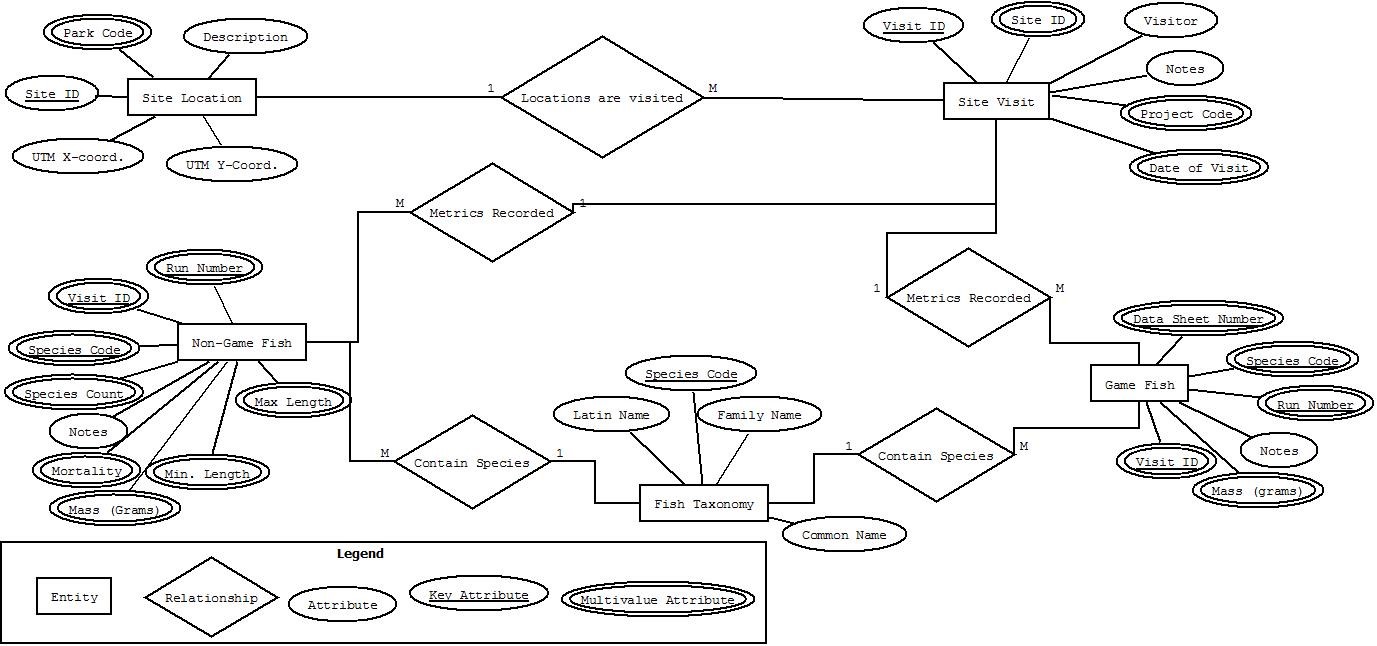
Analysis Procedure: The first step in designing a data model for the NPS was to develop a conceptual Entity-Relationship (ER) Diagram to depict and define the relationships of tables containing fish inventory data with those tables representing sampling sites, observations, etc . We utilized DIA software to plan, visualize, and refine our database structure, and the resultant logical model ER Diagram can be seen below.
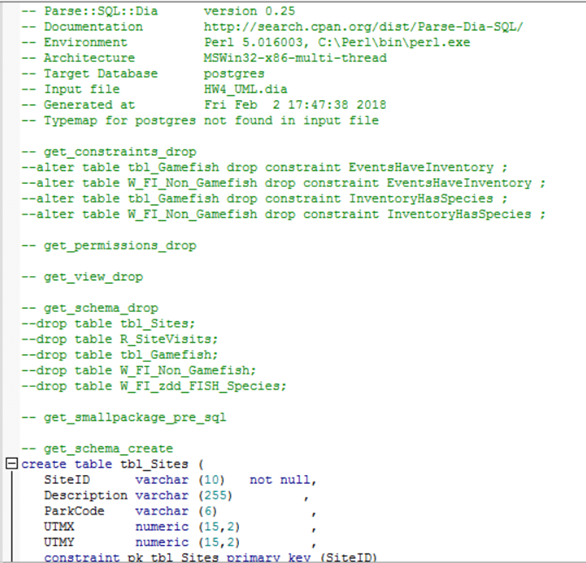
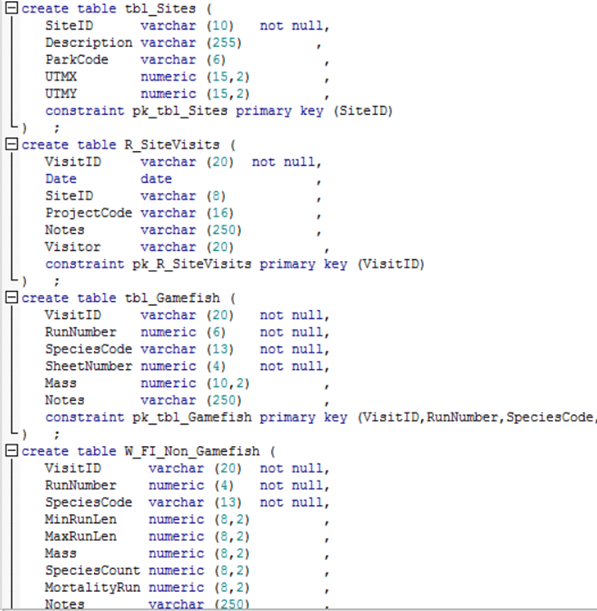
Next we took our logical ER Diagram and used it to generate a physical model ER diagram or Unified Modeling Language (UML) diagram depicting specific characteristics of the model and subsequent database. As you can see in the image below, within DIA we set field types, primary and foreign keys, and relationship configurations for our database so we could eventually use the UML diagram as an input for an ActivePerl script. This script parsed the DIA diagram format into a Structured Query Language(SQL)/Data Definition Language (DDL) code snippet, which was executed in PostgreSQL’s PgAdmin to build the schema of the PostgreSQL database.

The output DDL can be seen below as it was run in PostgreSQL to generate the schema of our fish database. Following these images is the set of “COPY” statements used to add the actual tabular data to our database.

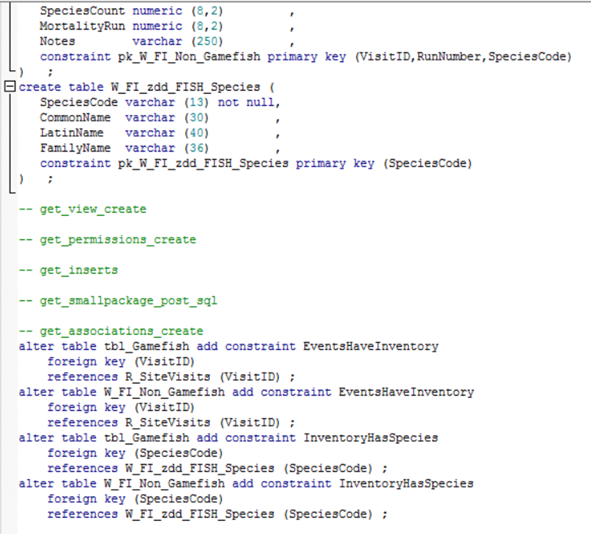

The above Copy statements populated our database tables and transformed csv files into database tables. Finally to test the capabilities of our newly created PostgreSQL database, we used SQL Queries and Views to understand the relationships between our data and to generate special views that could be utilized in ArcMap and eventually in an Enterprise Geodatabase (SDE GDB).
Results: In order to test the capabilities of our newly created PostgreSQL database, we used SQL Queries and Views to understand the relationships between our data and to generate special views that could be utilized in ArcMap and eventually in an SDE GDB. Three examples of the SQL Queries can be seen below, along with each query’s output table view.
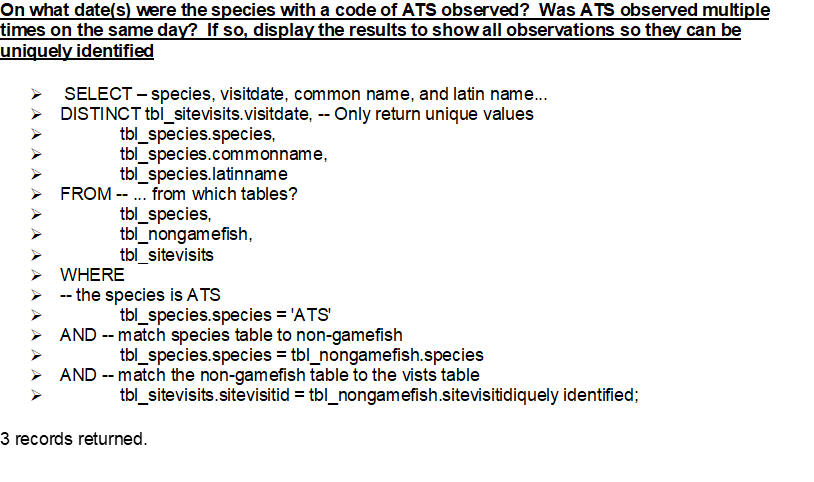
SQL Query written to identify unique observations of ATS 
SQL Query output depicting distinct ATS observations 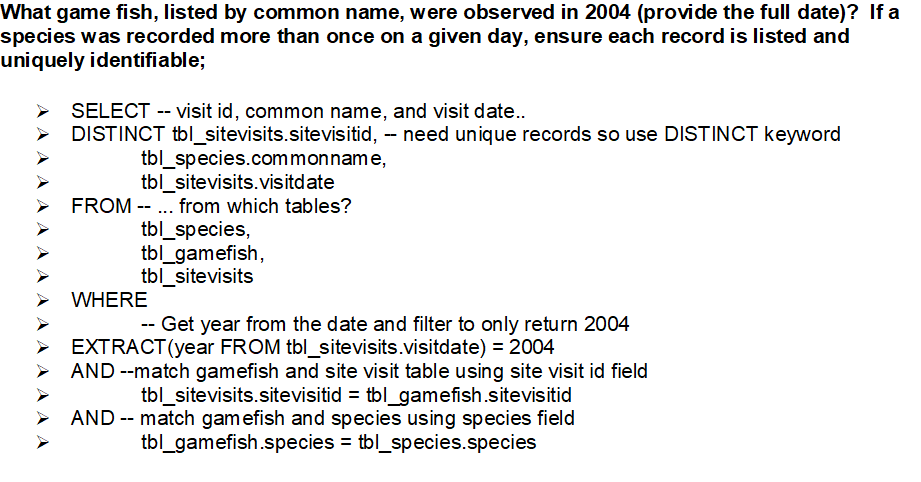
SQL Query written to identify all unique game fish observations from 2004. 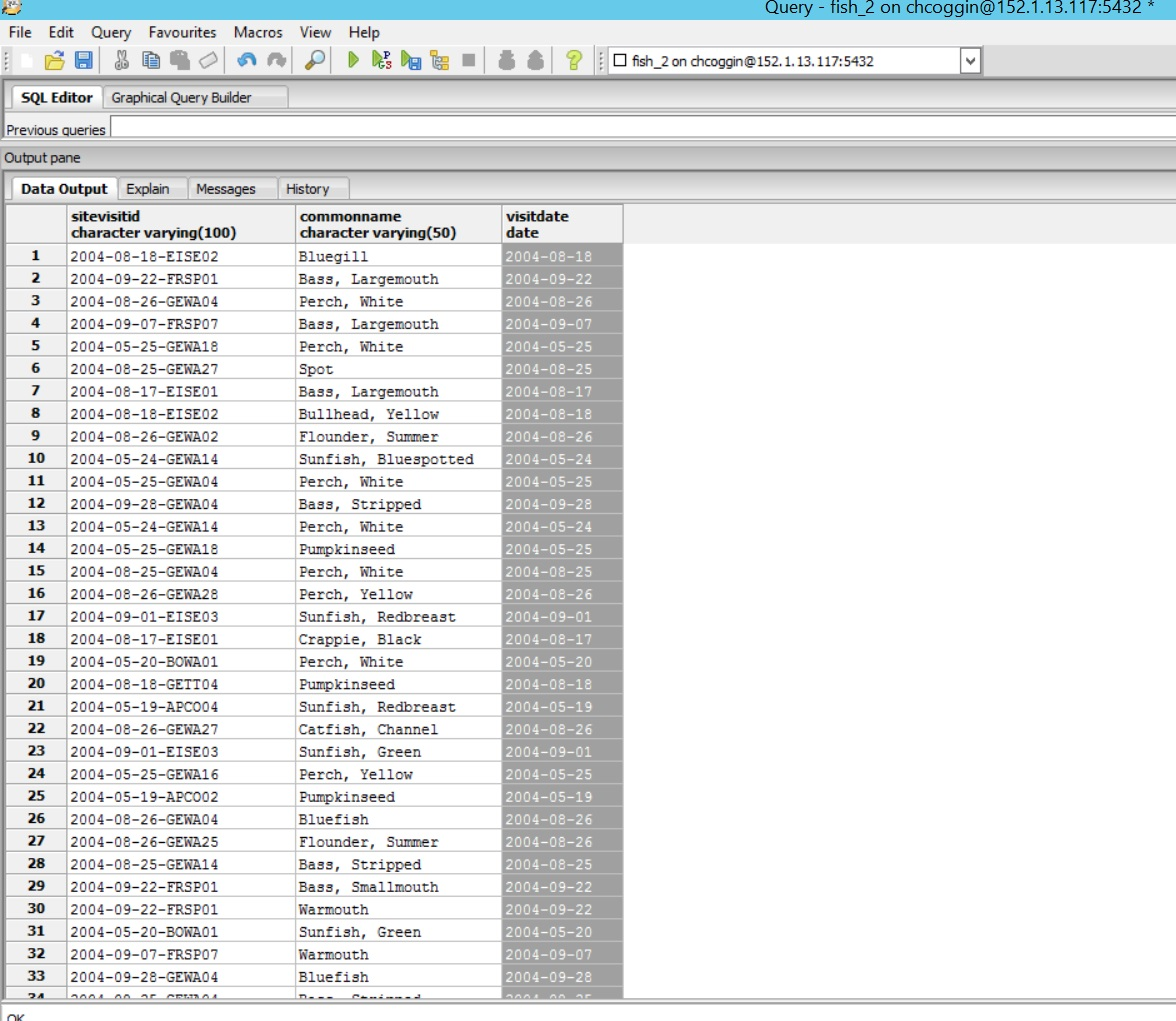
SQL Query output that displays all unique game fish observations from 2004. 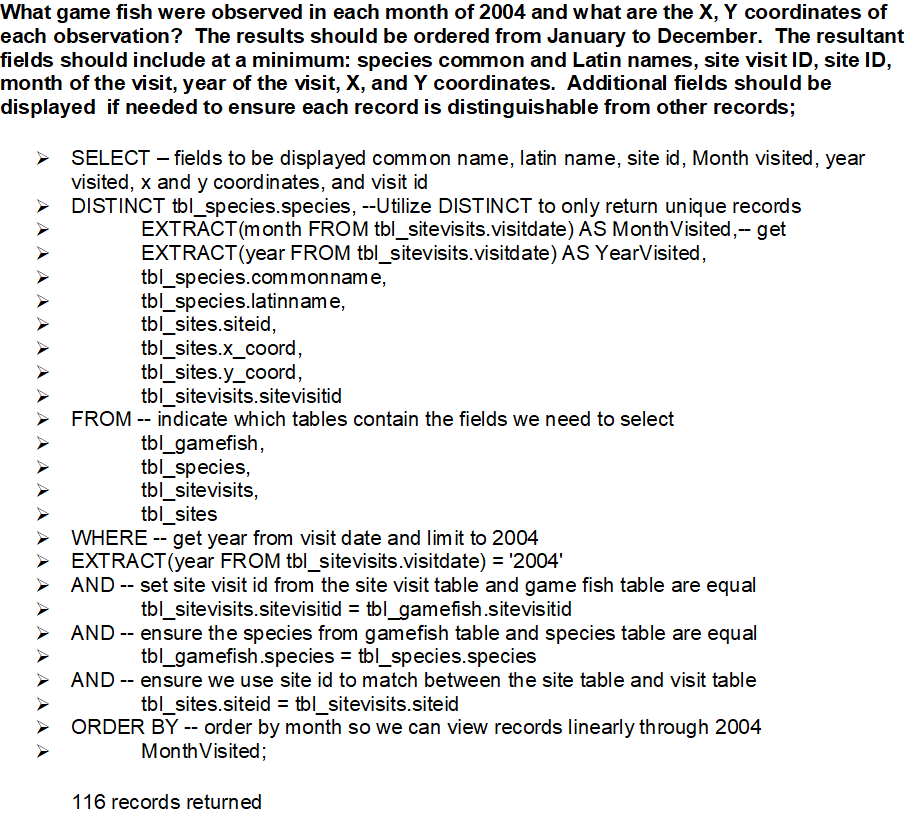
SQL Query written to identify game fish observed in each month of 2004. The query also displays the output with customized fields included to distinguish between observations. 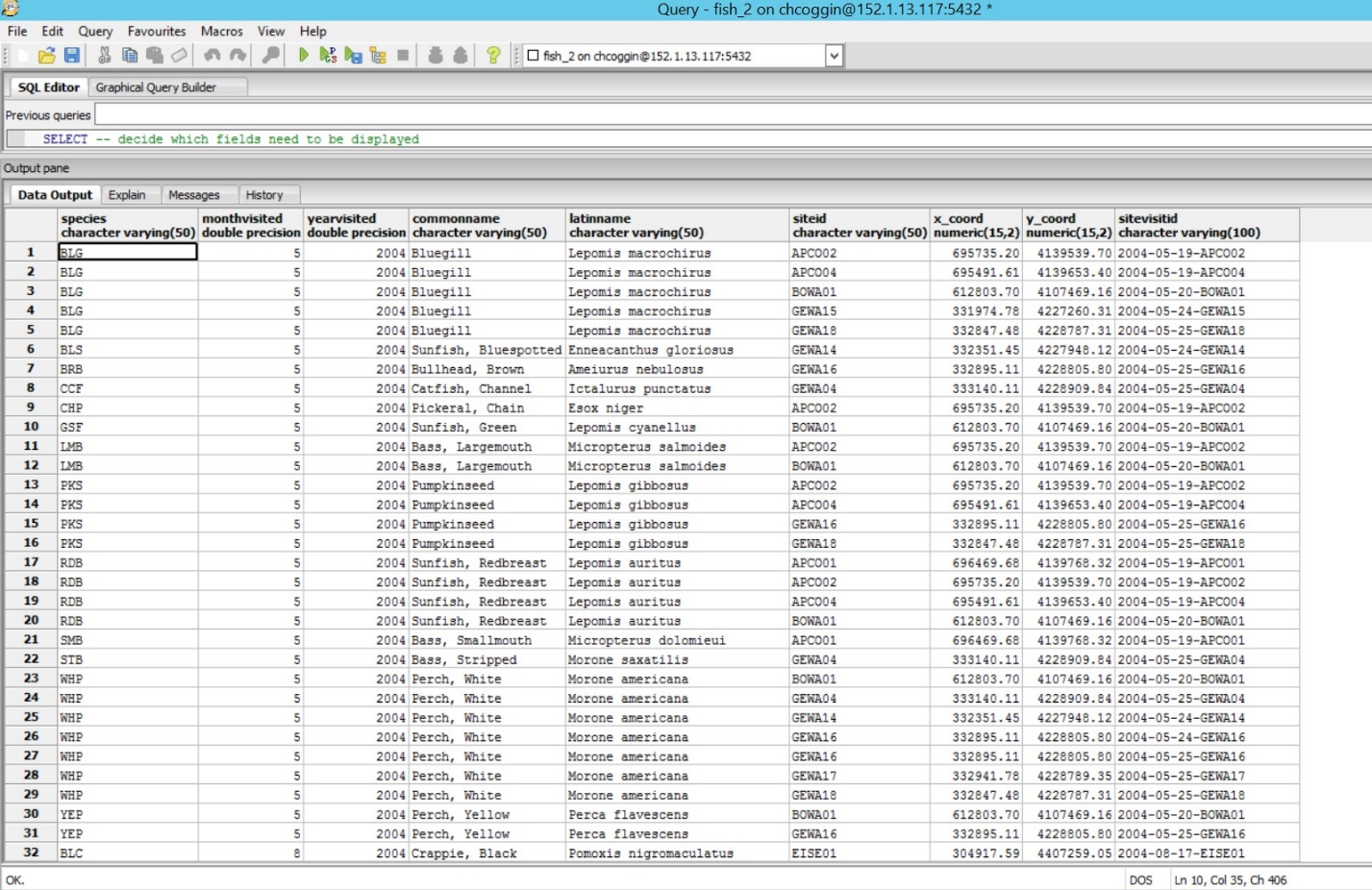
SQL Query 3 output
Reflection: Work undertaken in this project provided an opportunity to step through each phase of database design. From conceptual, to logical, to physical data model design, the experience gained is invaluable in understanding how to leverage complex data models to fit a variety of needs. Working with SQL is another key component to completing this project successfully. To get the most functionality out of a relational database, the ability to query data stored in the database and produce new table views from that data is vital. This project expanded upon my previous SQL experience and allowed students to experiment with how SQL queries can elevate relational databases.
Using Tabular and Spatial NPS data to Populate and Customize Enterprise Geodatabase
Problem: Now that we have created the relational database for National Park Staff, we have been tasked with configuring an Enterprise Geodatabase. This will allow NPS staff to leverage the George Washington Birthplace National Monument data through creating feature datasets with relationship classes and topology definitions, as well as configure the data for publishing.
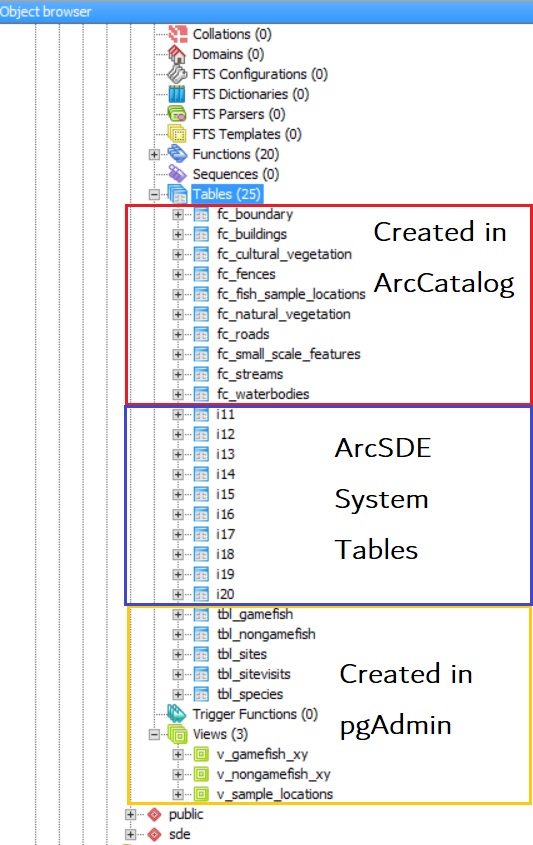
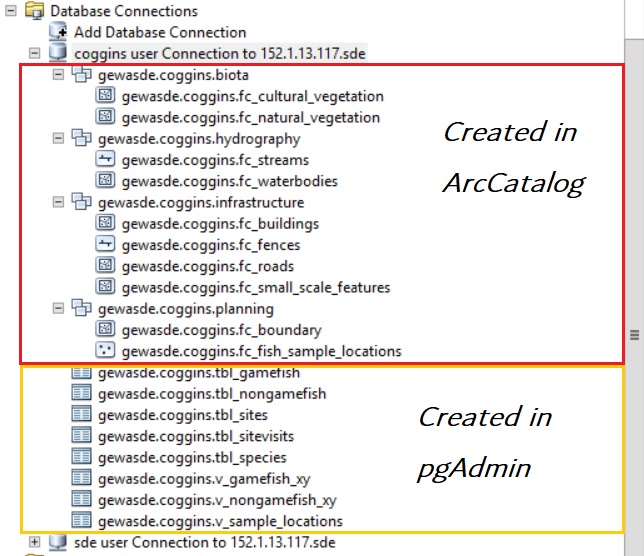
Analysis Procedure: We configured the SDE GDB; first by adding database users, roles, and privileges through pgAdmin and ArcCatalog, then setting up predefined database connections to support publishing and other web service capability. We added spatial data representing infrastructure, vegetation, water features, and other real-world objects for George Washington National Park. The annotated images below depict the different datasets in both pgAdmin and ArcCatalog and indicate how each was created.
Results: The final enterprise geodatabase result is fully configured for a variety of web hosting capabilities and will act as the foundation for later work involving published feature services that provide more advanced geospatial solutions.
 Carson Coggins GIS Portfolio