Publishing Hosted Database Features to Facilitate Web Editing, Geoprocessing, and other Advanced Functionality
Problem: National Park Service (NPS) employees have requested a Web Mapping Application that provides to edit George Washington Birthplace National Monument (GEWA) fish inventory data housed in an Enterprise Geodatabase. They have requested an editable and published feature service so they may make necessary edits while in the field. They have also requested the final web mapping application utilize customized geoprocessing and query widgets.
Analysis Procedure: Once the necessary George Washington Birthplace National Park feature classes, views, and tables, were developed, the focus shifted to configuring an ArcGIS Server site. The creation of users and roles was a key step in this process, as different users will need different capabilities when interacting with our hosted feature services. For example we configured a “User”, “Publisher” and “admin” role for the ArcGIS Server site to ensure the data was protected from accidental edits or improper access.
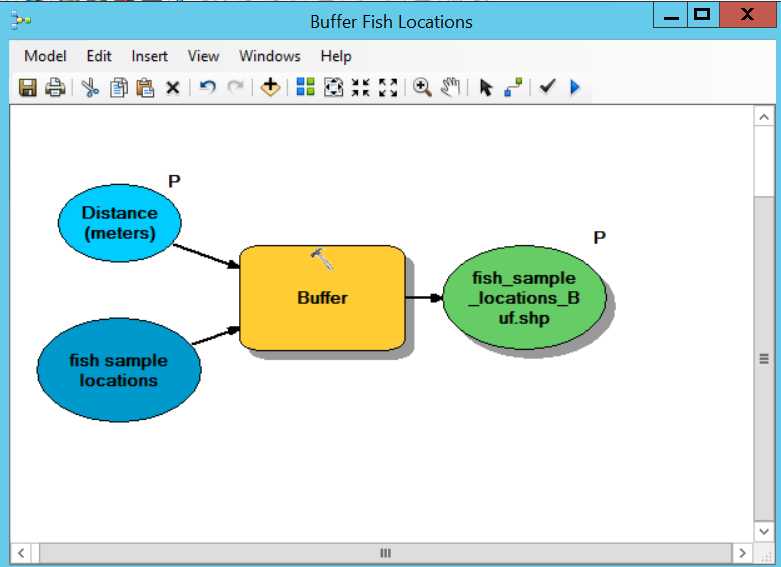
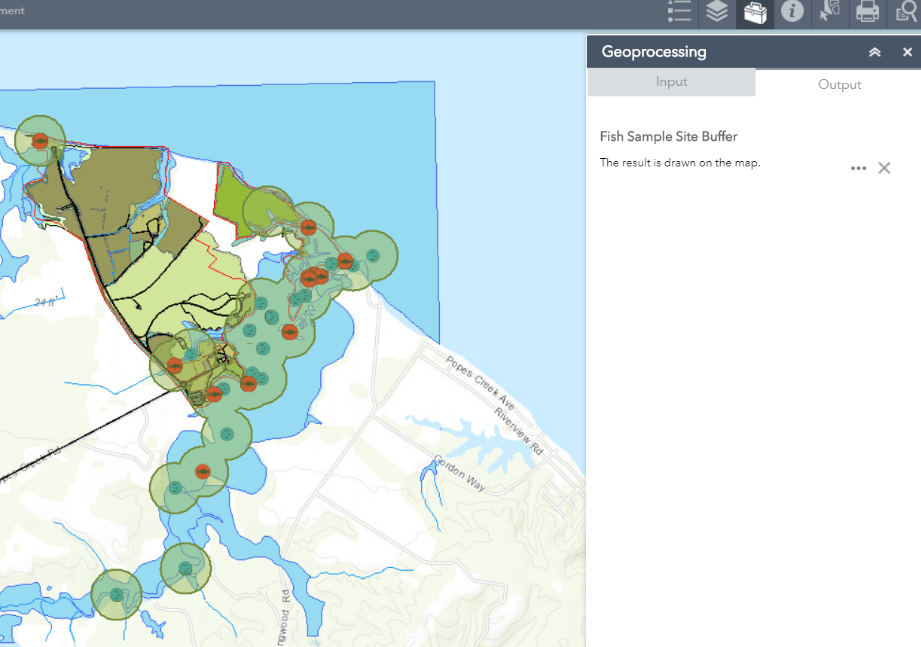
Next we focused on actually publishing various SDE GDB features. We used our VCL, ArcGIS Server, and SDE GDB to publish both Map Services and Feature Services containing GEWA fish inventory data as well as data relating to park features. We enabled several important capabilities during publishing, including select, update, delete, and extract. These settings ensure that National Park staff will have the necessary editing functionality when accessing the GEWA park data. We also developed, tested, and published a customized geoprocessing service that creates custom buffer regions around each fish sampling location. This Geoprocessing service was developed using ModelBuilder, published, and eventually coupled with other hosted feature layers to be consumed by an ArcGIS Web ApplicationBuilder Application.
Results: As you can see in the first slideshow below, these hosted layers are accessed through ArcGIS REST Services and added to individual web maps. The configuration of map settings, naming conventions, and pop-up dialog was another key component in meeting the NPS staff’s needs.
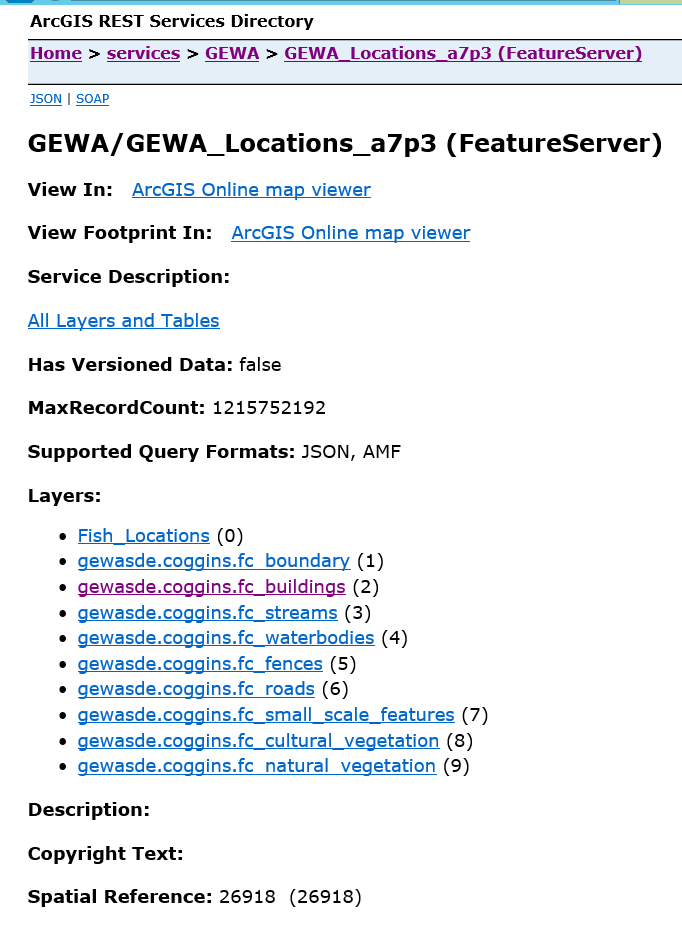
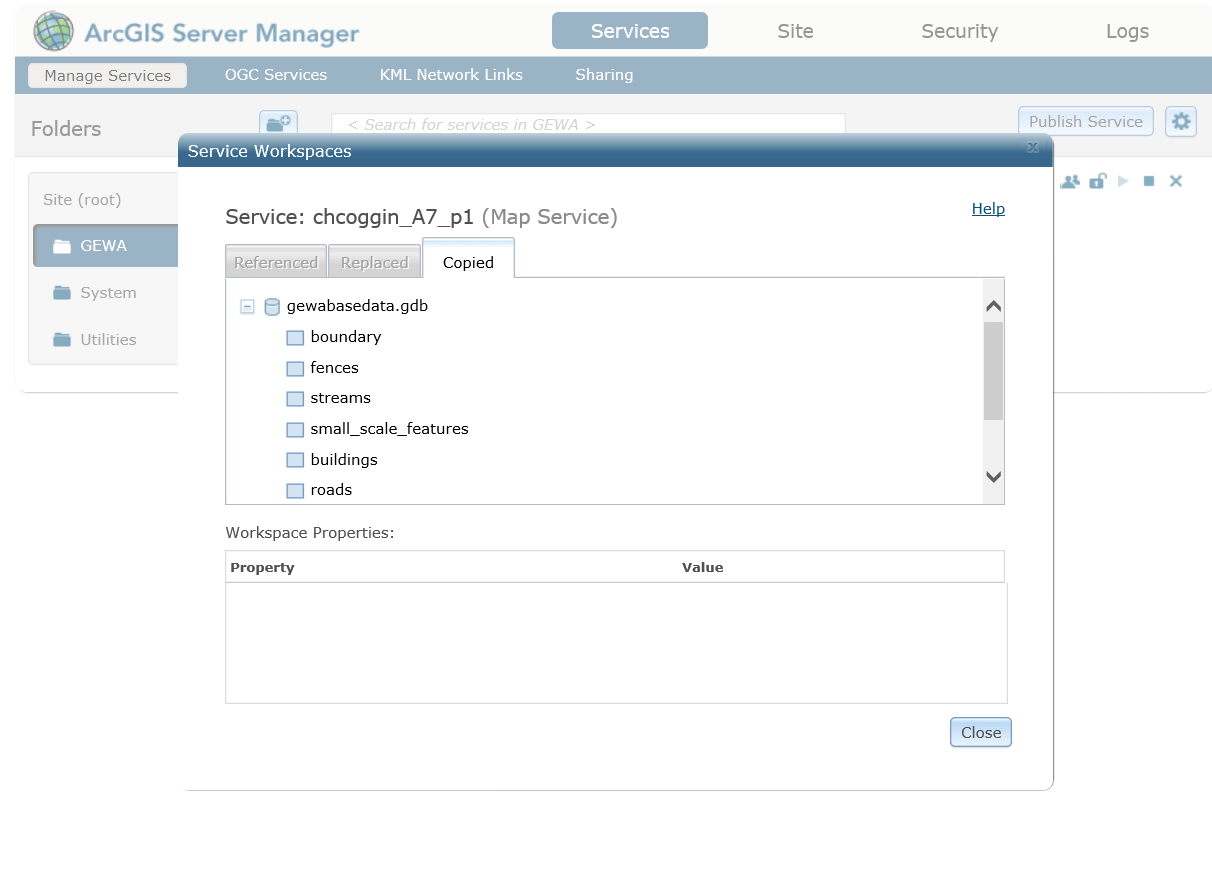
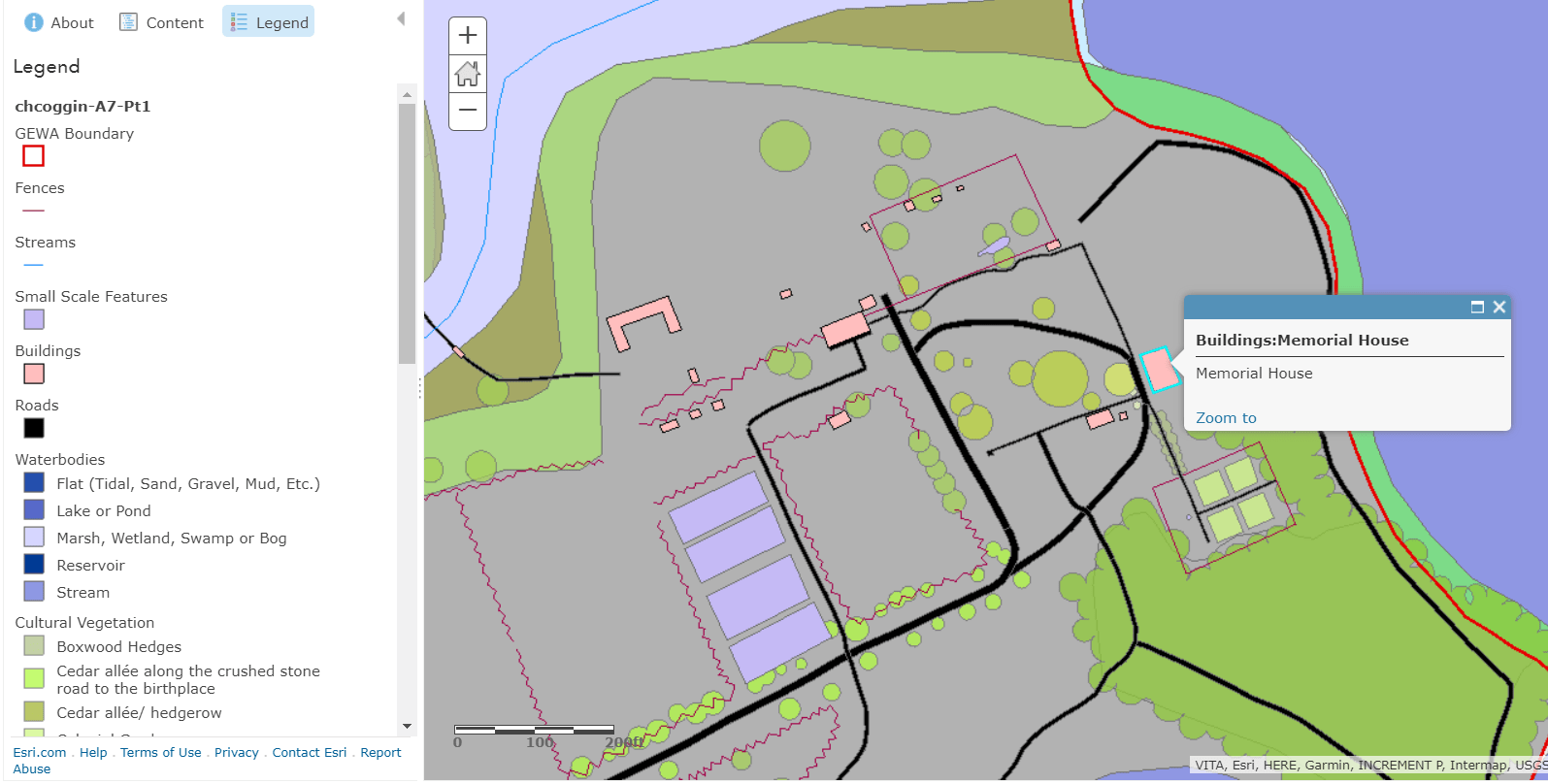
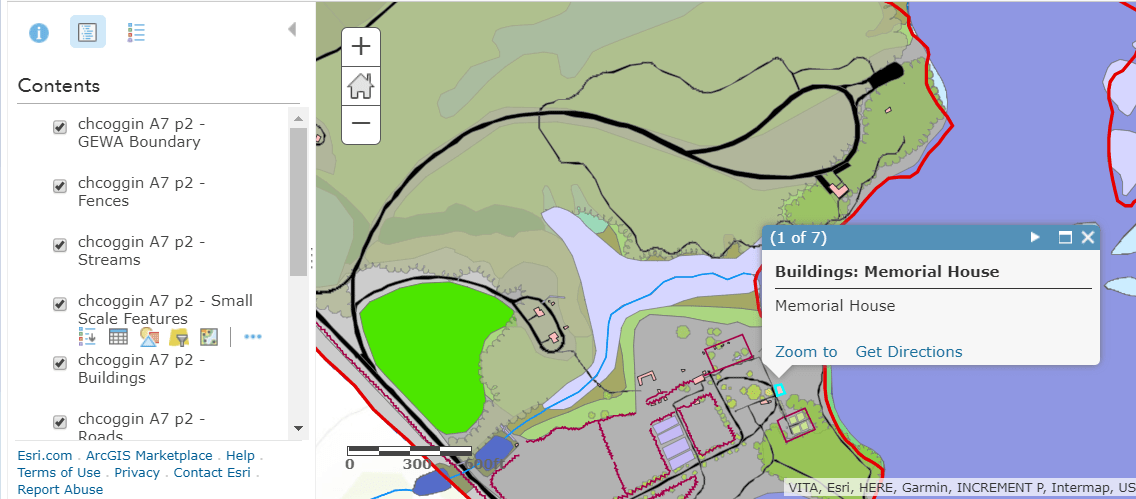
The next slideshow depicts some examples of the editing capability required by the National Parks staff within the Web App.
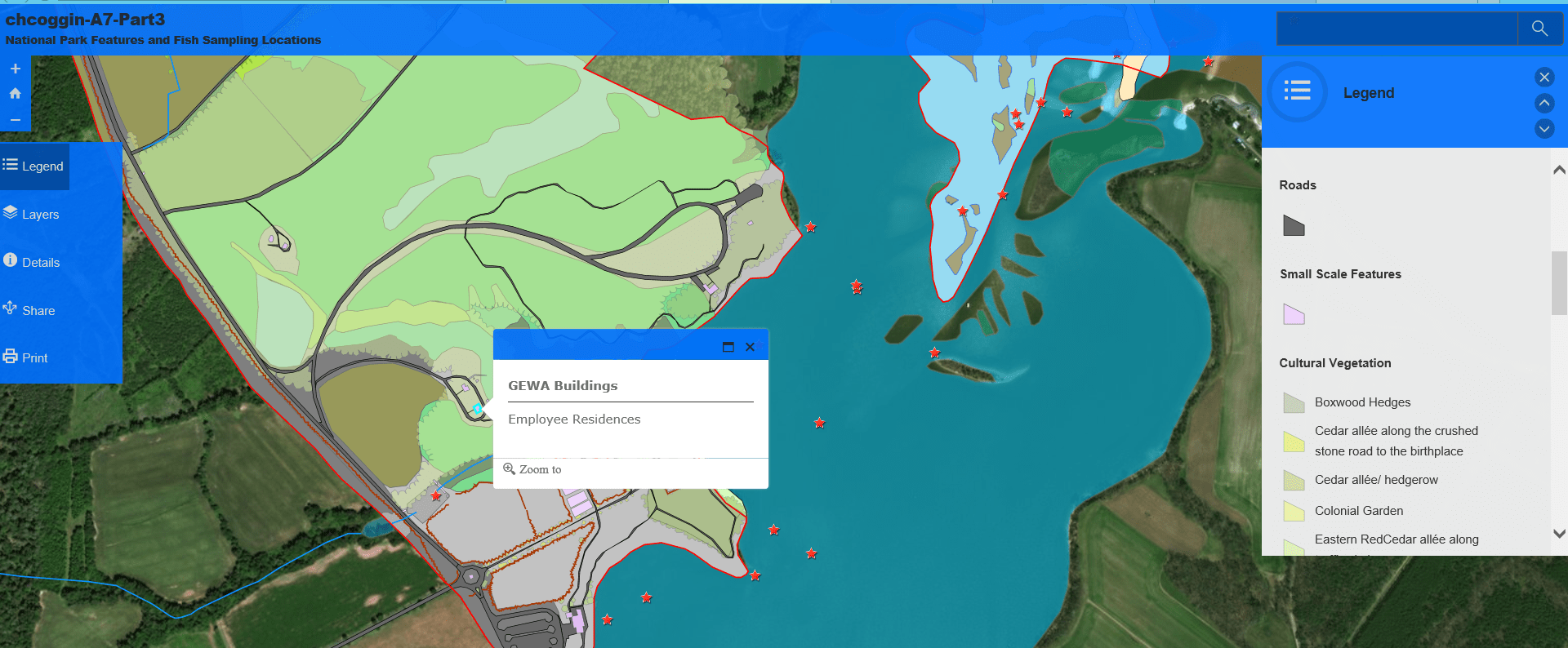
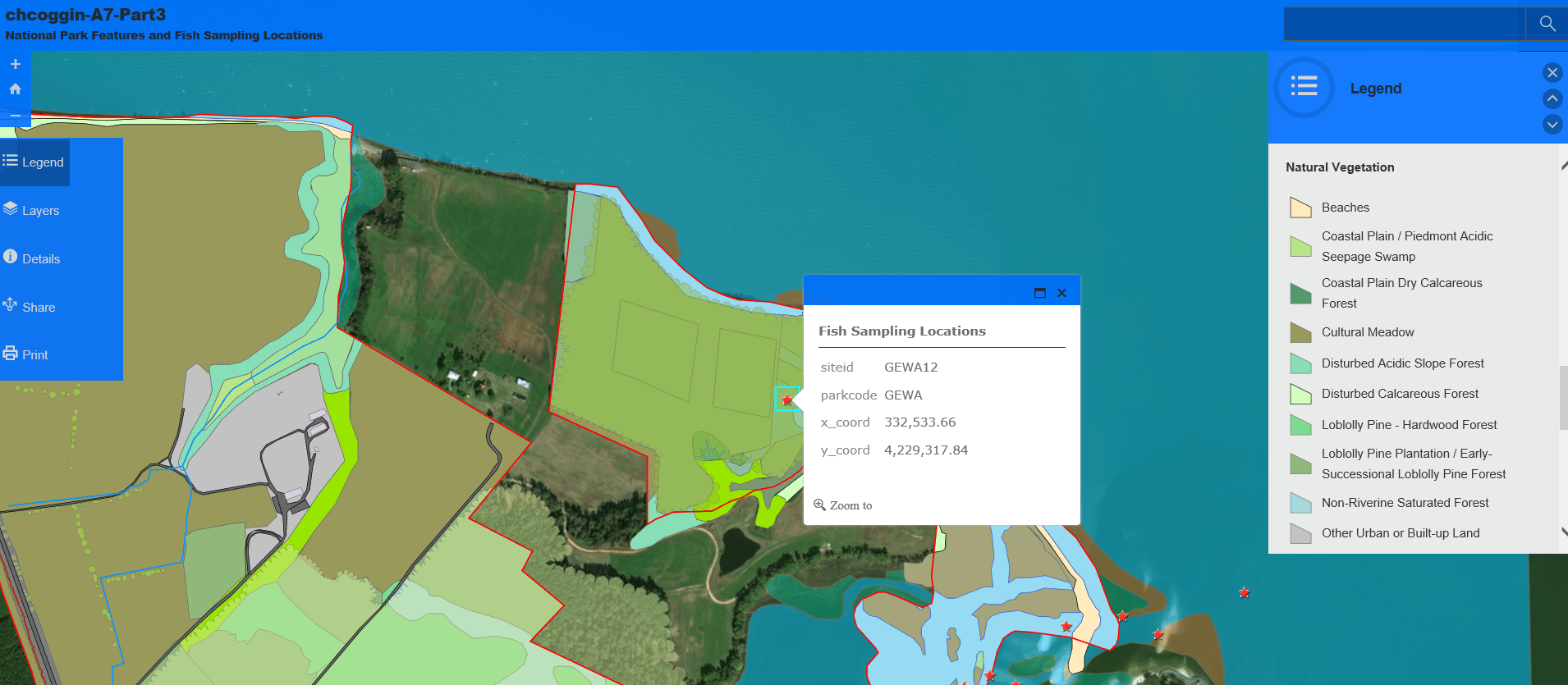


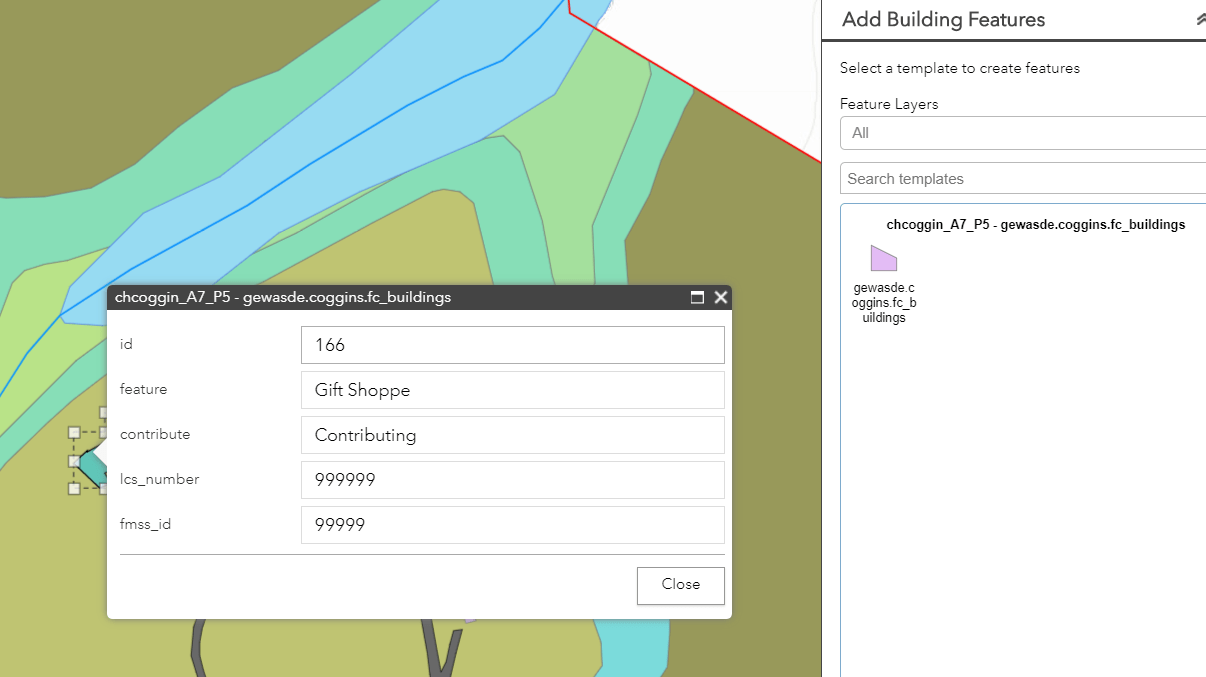
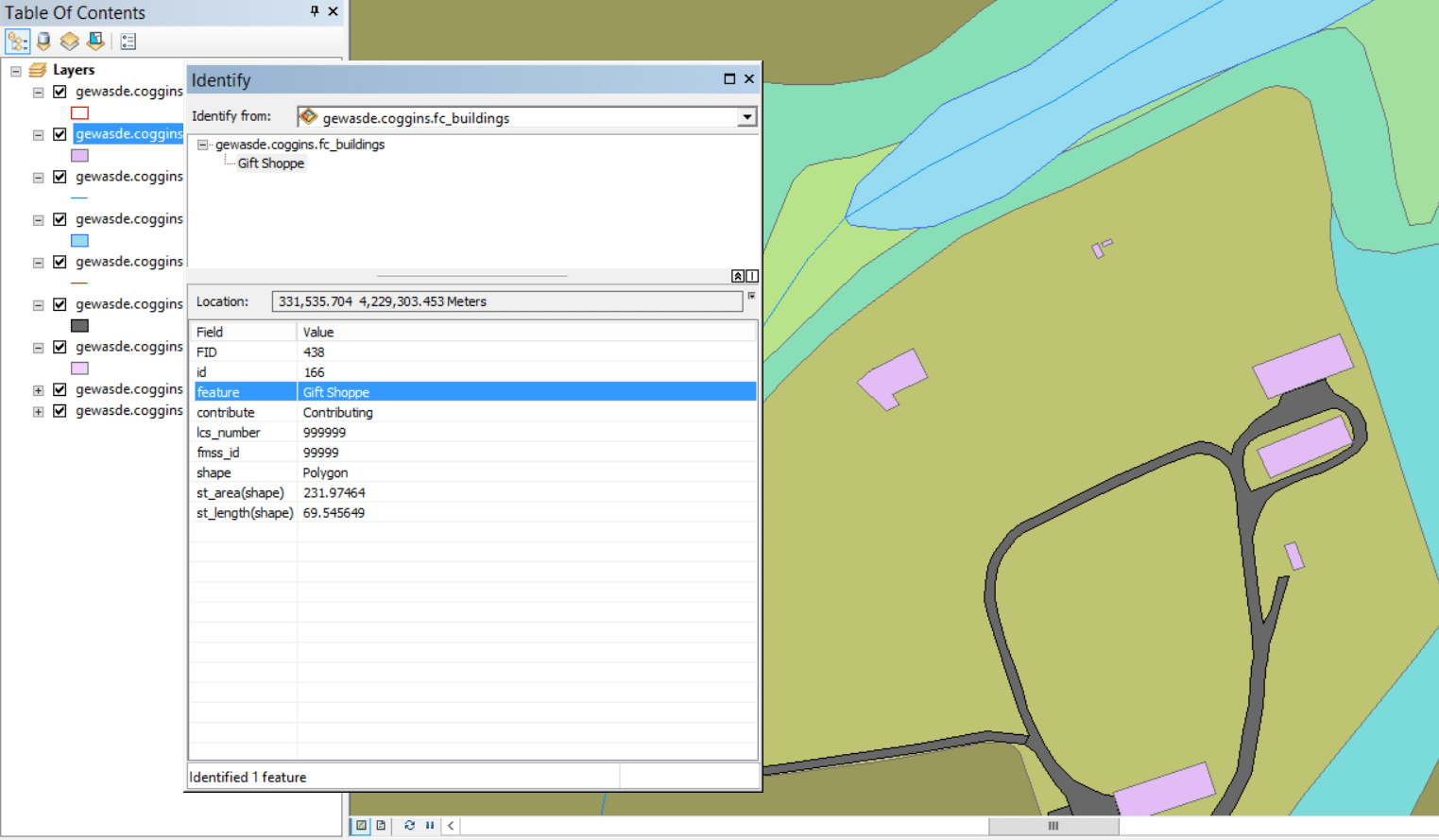
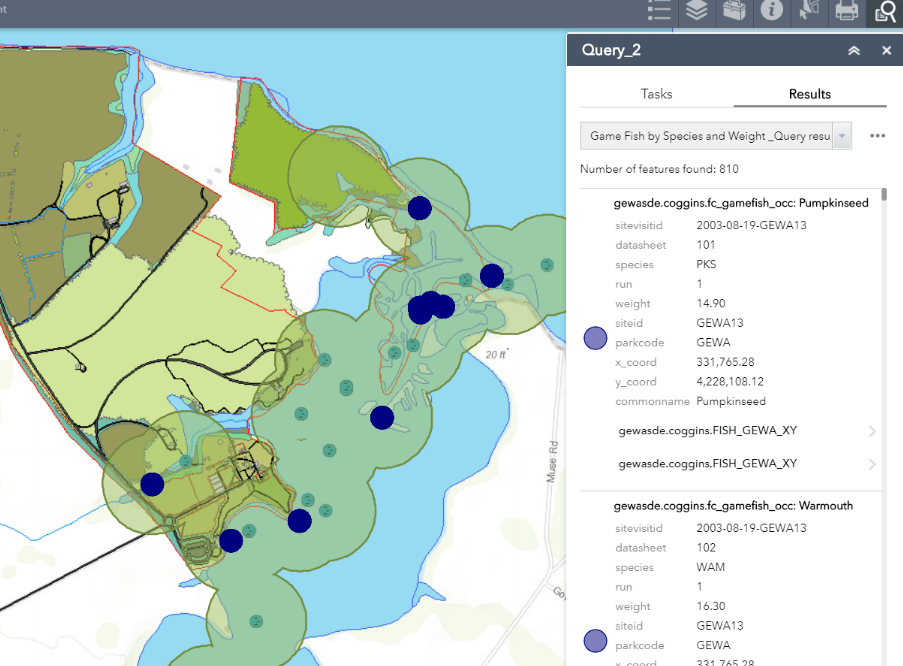
The final slideshow depicts elements of the required Geoprocessing service, from creation in ArcMap’s ModelBuilder to execution within our customized Wep Application. It also includes examples customized application widgets such as the “Query” widget.
Reflection: The extensive experience configuring various types of spatial data for use in web services gained through this project cannot be overvalued. This project required attention to detail, meticulous database organization, and the ability to quickly solve problems as they arose during publishing. These skills have provided me with the framework to configure spatial databases and employ advanced web service techniques for any type of spatial data. This project also provided students with an extensive view of the capabilities and potential issues involved with Enterprise software web hosting, web mapping, and application development.
Comparing Hosted Geoprocessing Services and eSearch Widget for Transmission Line Impact Study
Problem: Due to the black-out of the northeastern United States on August 14, 2003 and Homeland Security issues, the Federal government is investigating possible locations for new high power transmission lines to increase the stability of the United States power grid. New River Gorge National River (NRGNR) is being investigated as one possible location. As part of the investigation, the effects of a new power transmission line corridor within the park boundary must be assessed. The resulting environmental impact statement must address both the natural and cultural resources managed by the park.
To facilitate this investigation, a web mapping application was developed to provide users with the ability to visualize common factors considered in an impact study including habitat characteristics for specified animal species, culturally significant buildings, and proposed power transmission lines. The application also allowed users to create their own proposed power lines and subsequently returned a buffered area around the new lines for additional assessment of cultural and environmental impact.
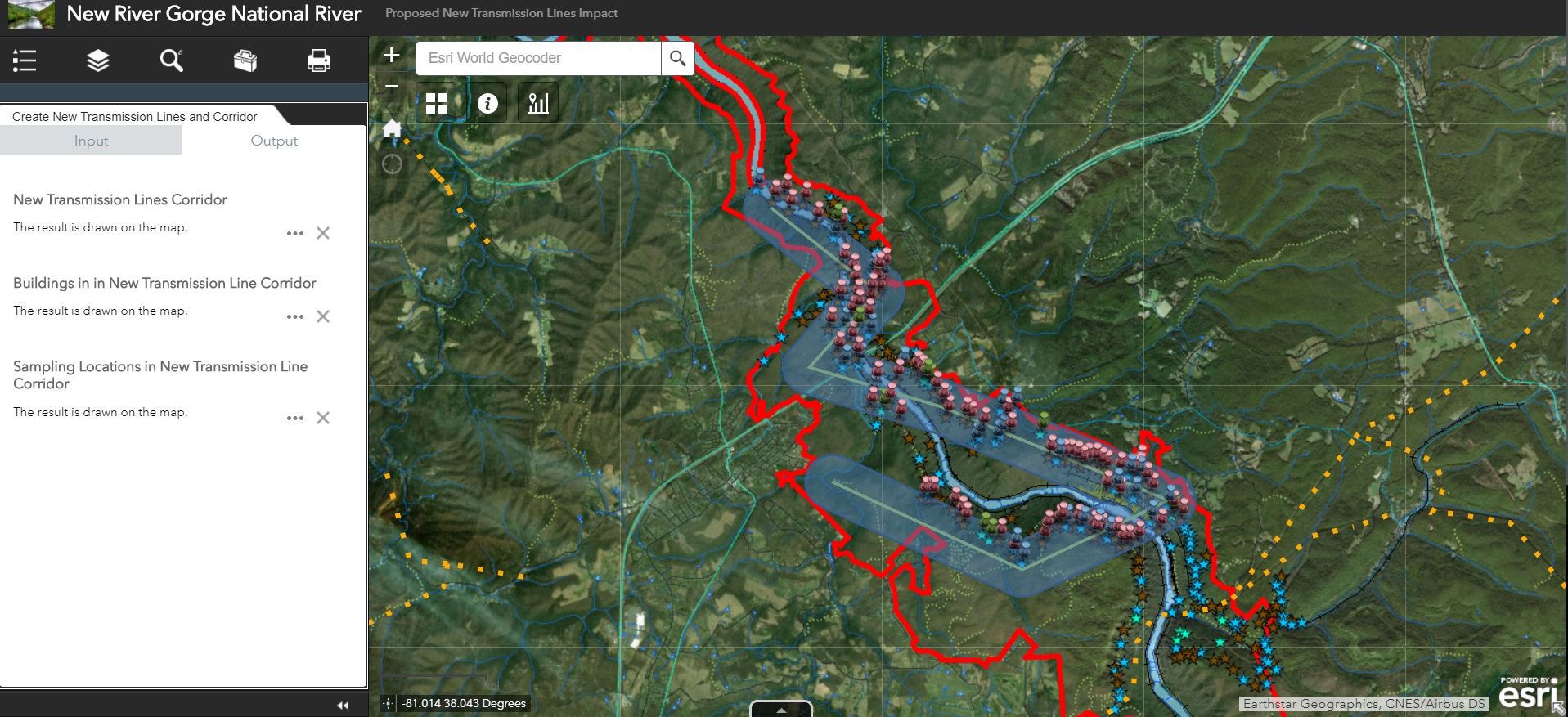
Analysis Procedure: To generate the Geoprocessing Services a ModelBuilder Model was designed to be run on the NRGNR layers. The result of this model was configured and published using ArcGIS Server and REST Services. The slideshow below depicts the initial Model as well as the final geoprocessing dialog in the web application. As you can see, the model prompts users for a new transmission line to be buffered. This new “corridor” feature is then used as a parameter to clip the other hosted layers so that the final output includes all impact-relevant features within the proposed power transmission corridor.

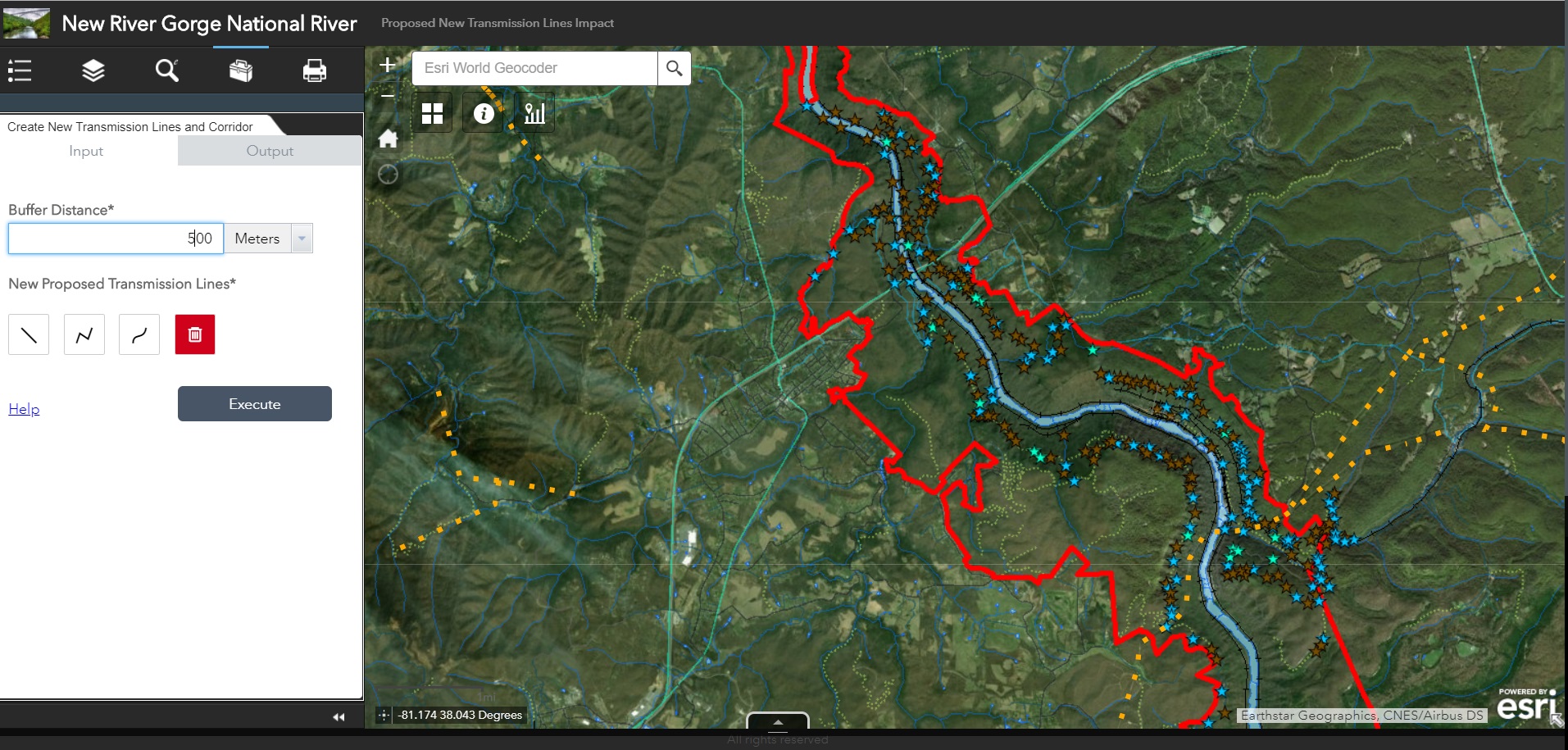
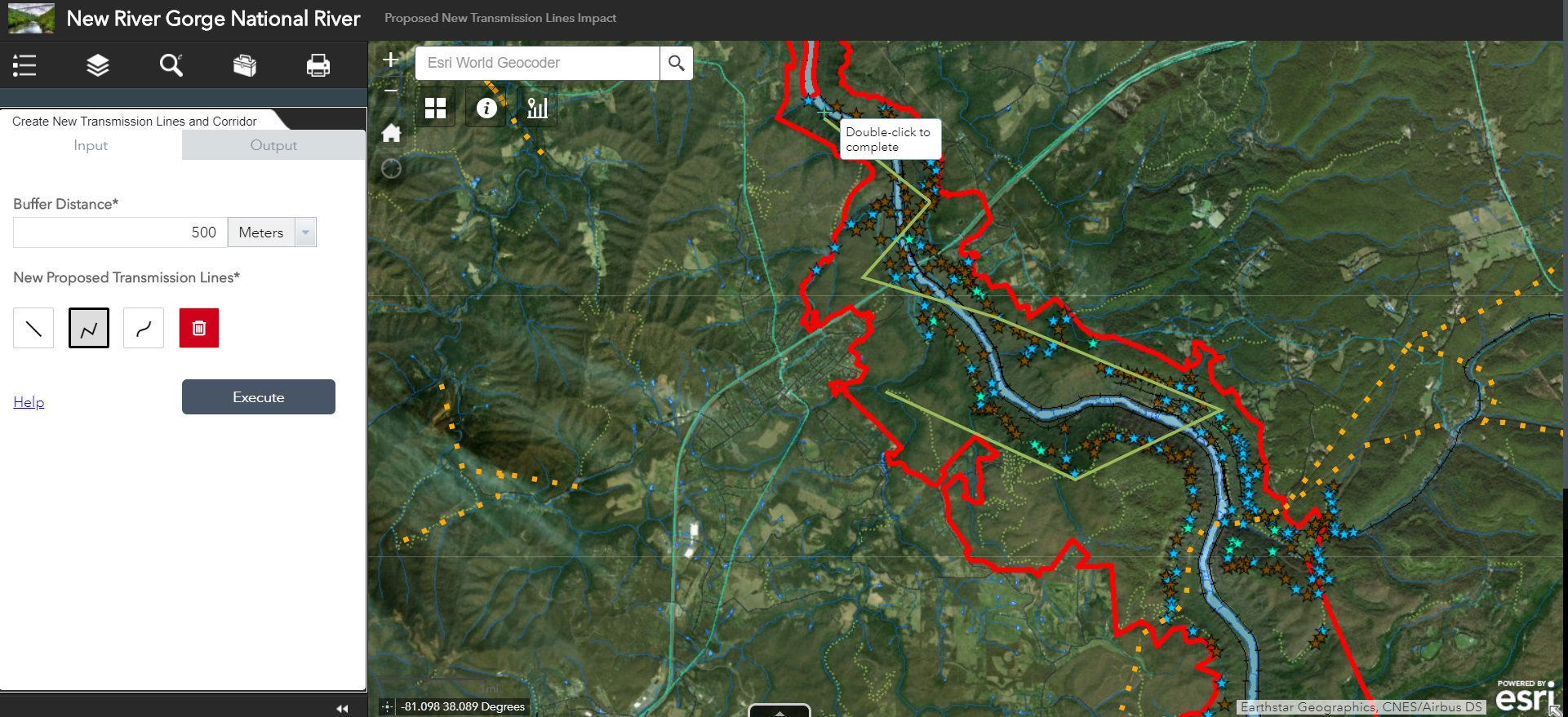
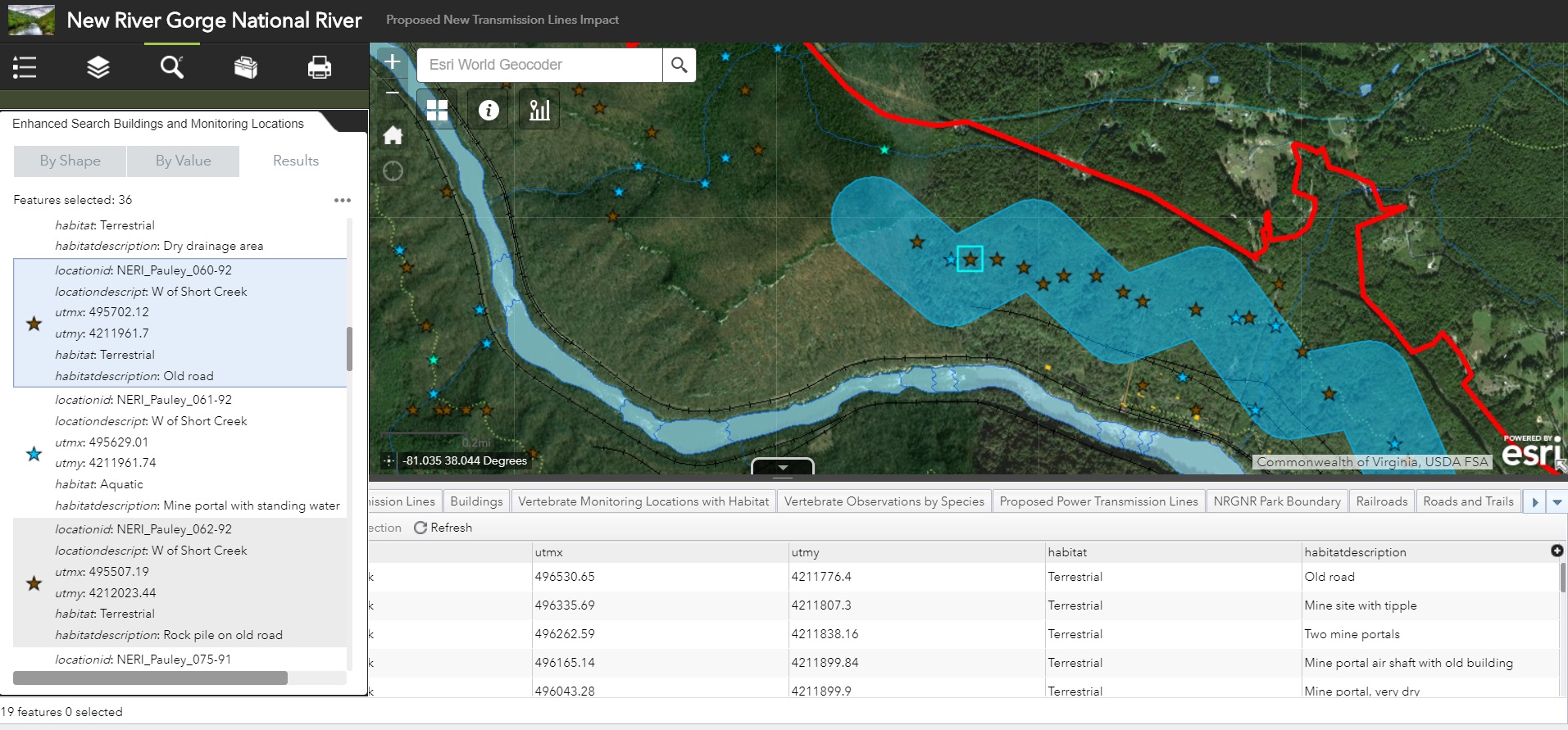
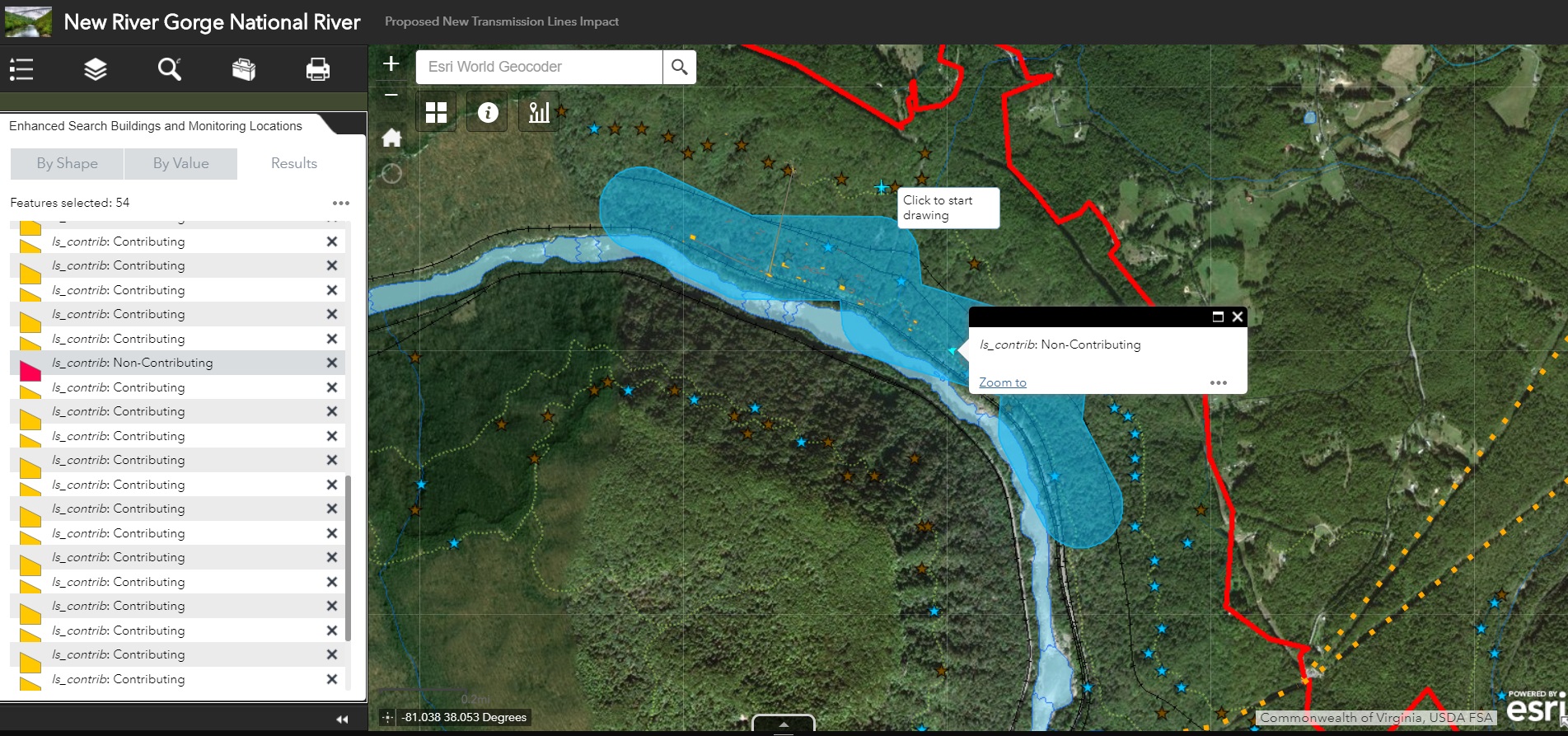
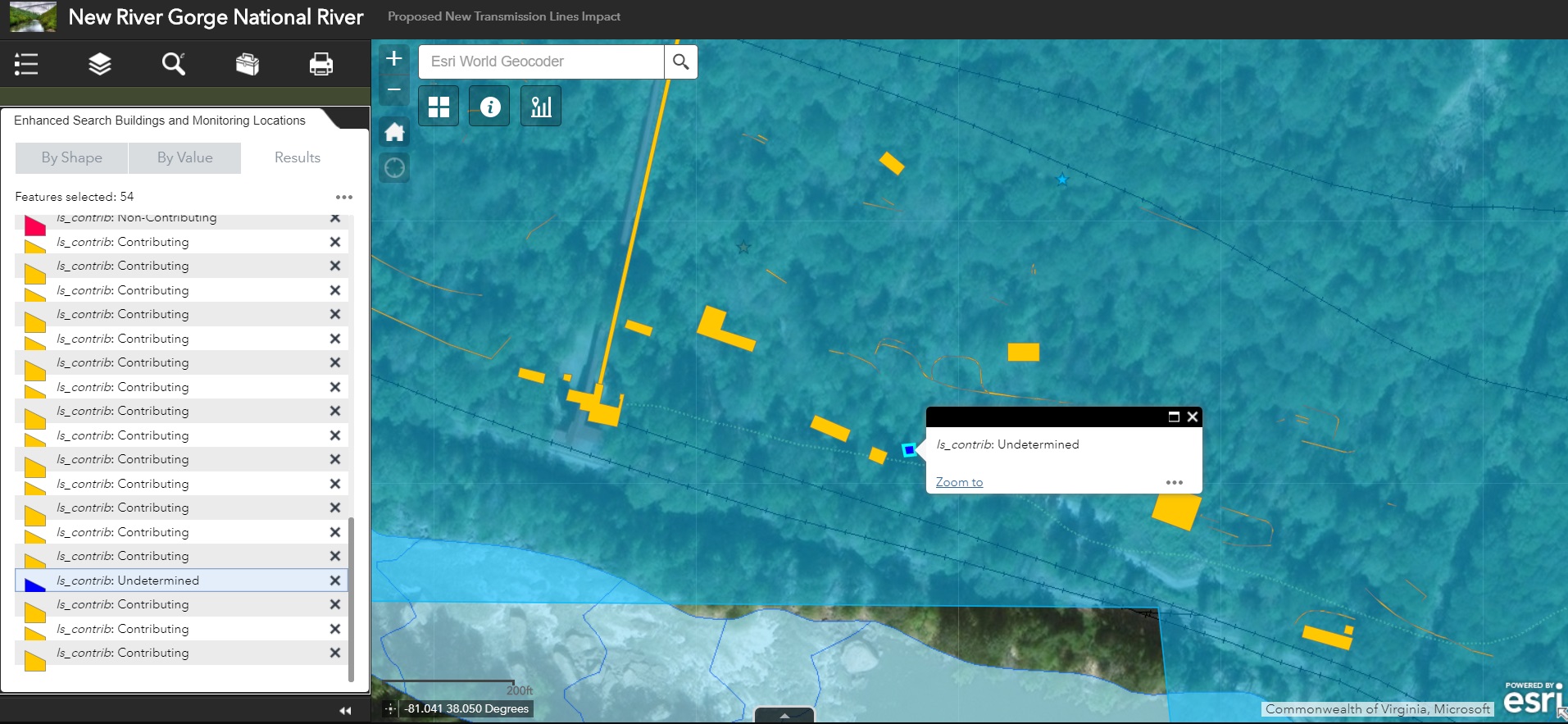
The enhanced search widget was developed slightly differently than the geoprocessing service. The widget was downloaded and brought in to ESRI’s Web AppBuilder (Developer Edition) for configuration. The final design of the widget first prompts users to indicate a transmission line feature to be buffered, then executes this buffer and returns all features within the new transmission line buffer area. The following slideshow details the Graphical User Interface (GUI) of the enhanced search widget and other displays within a web application.
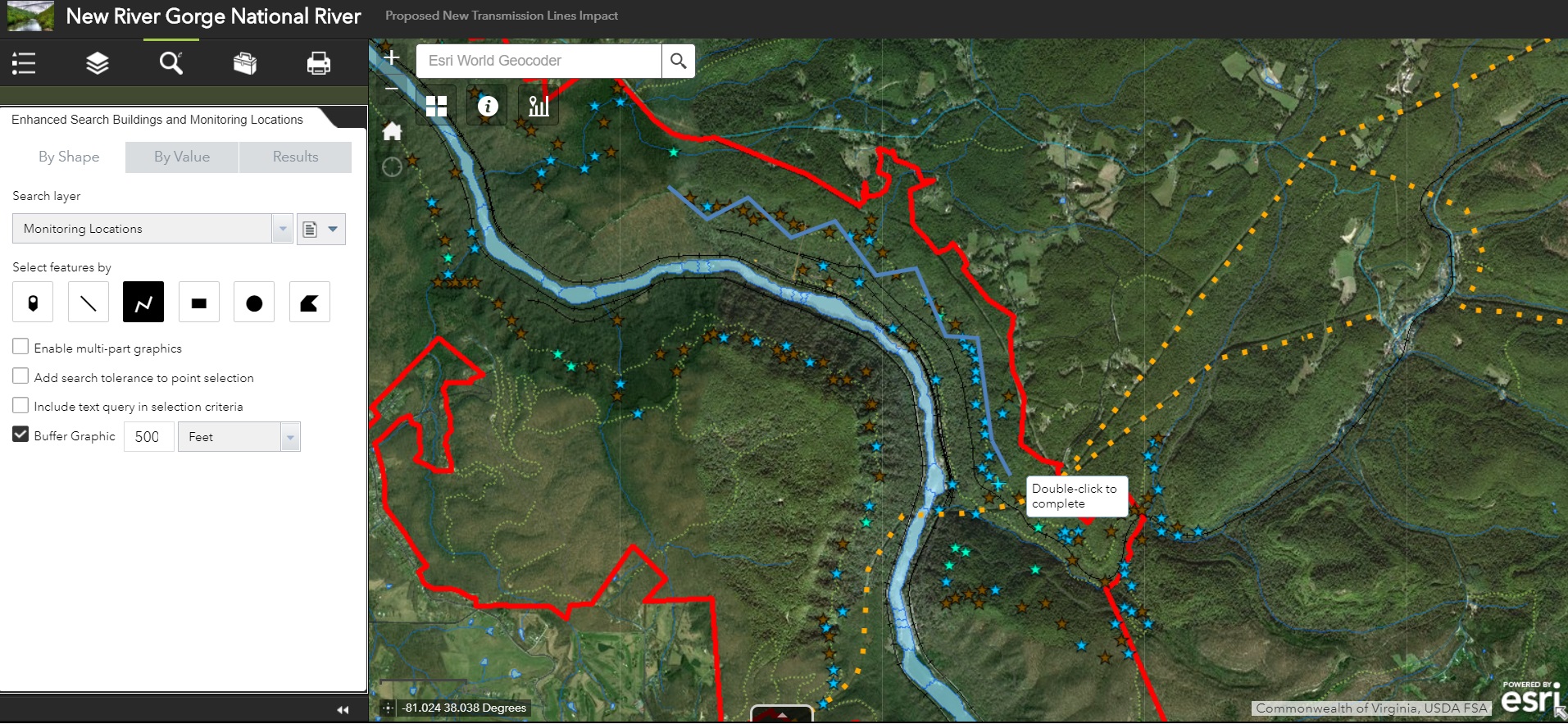
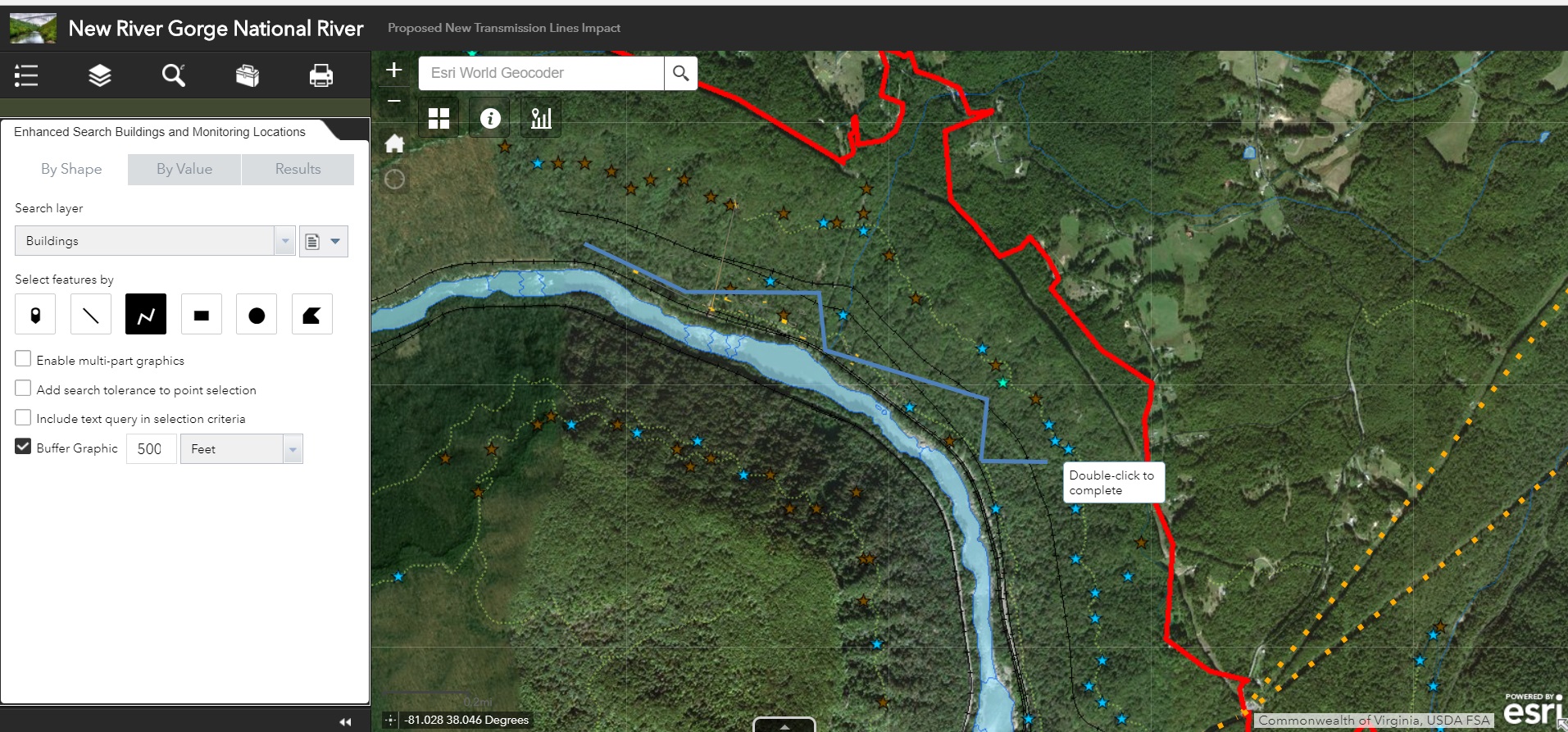
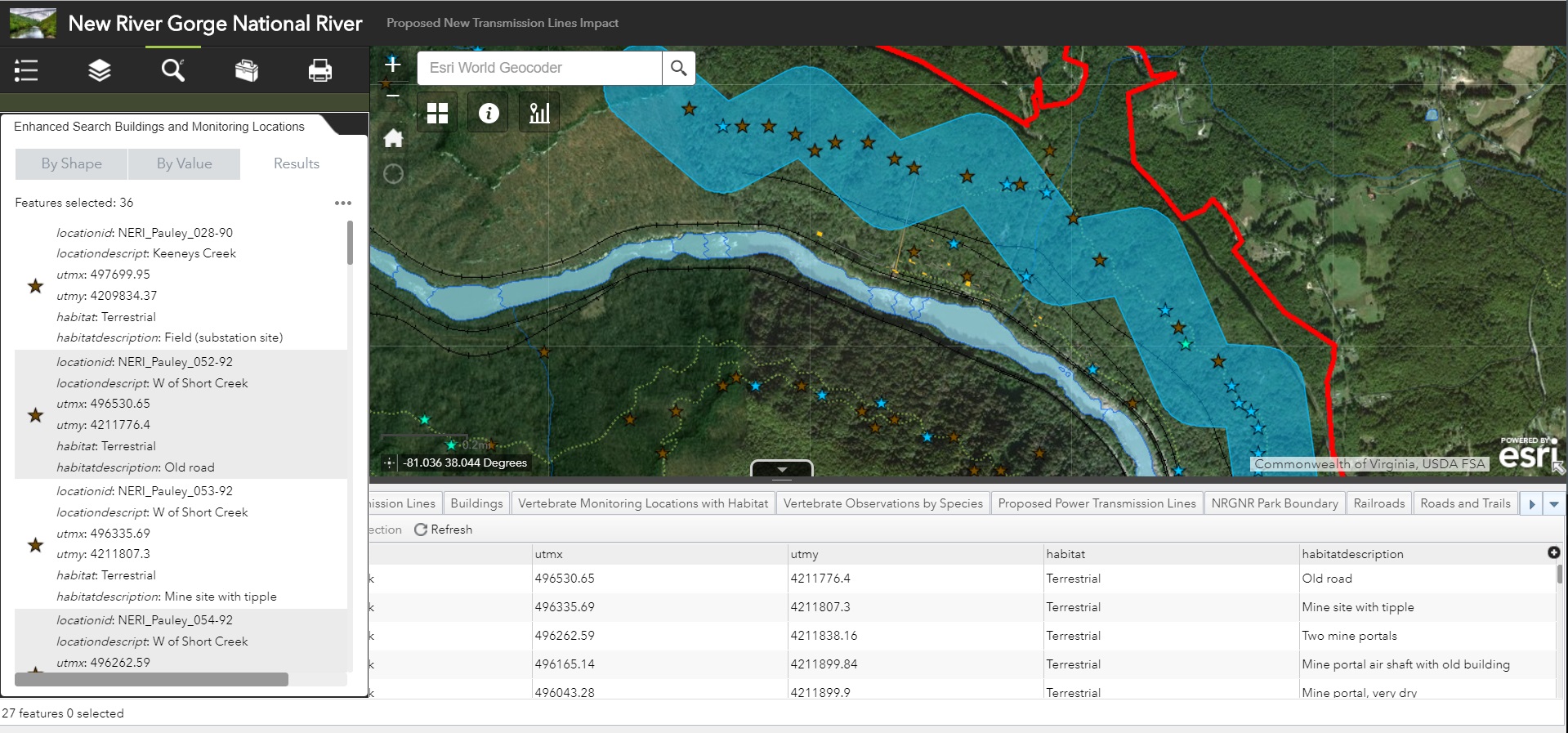
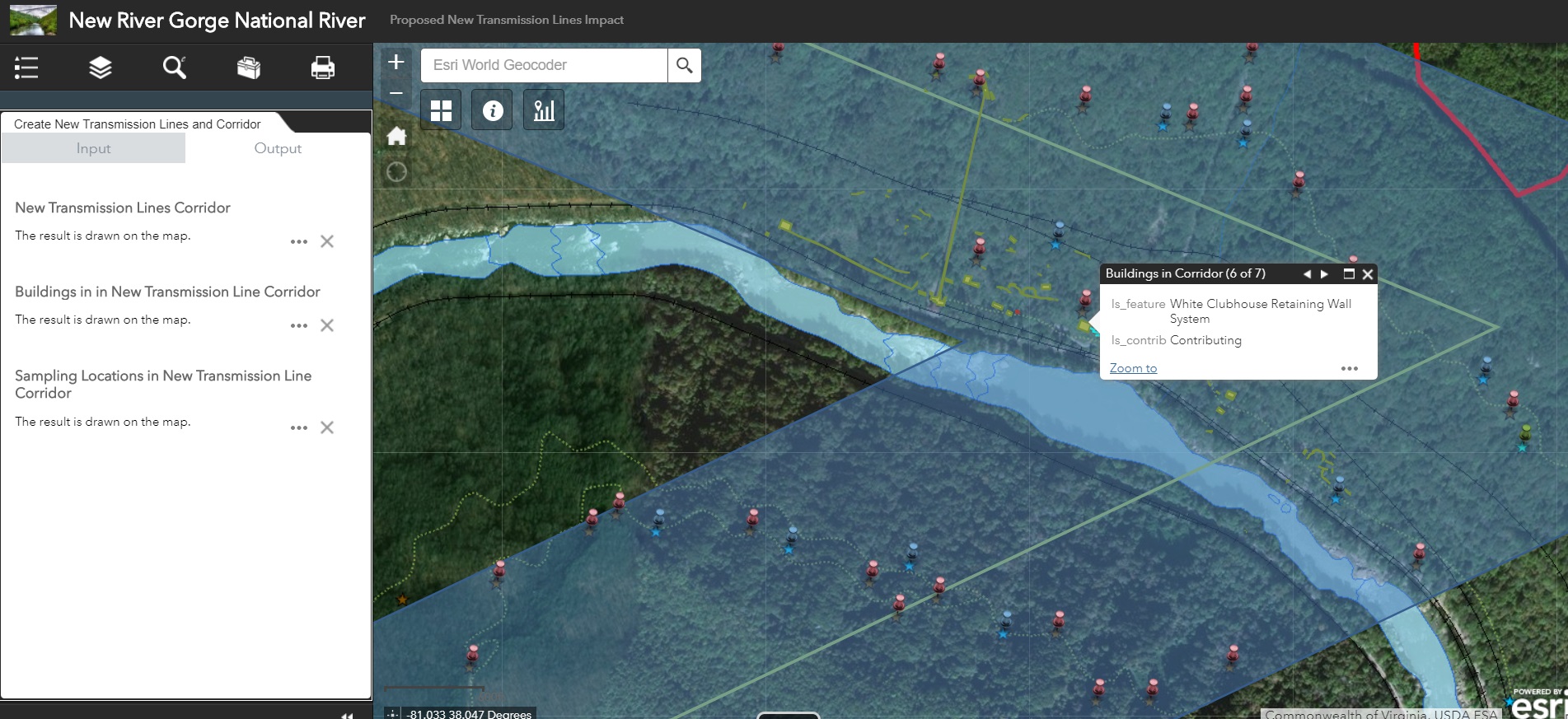
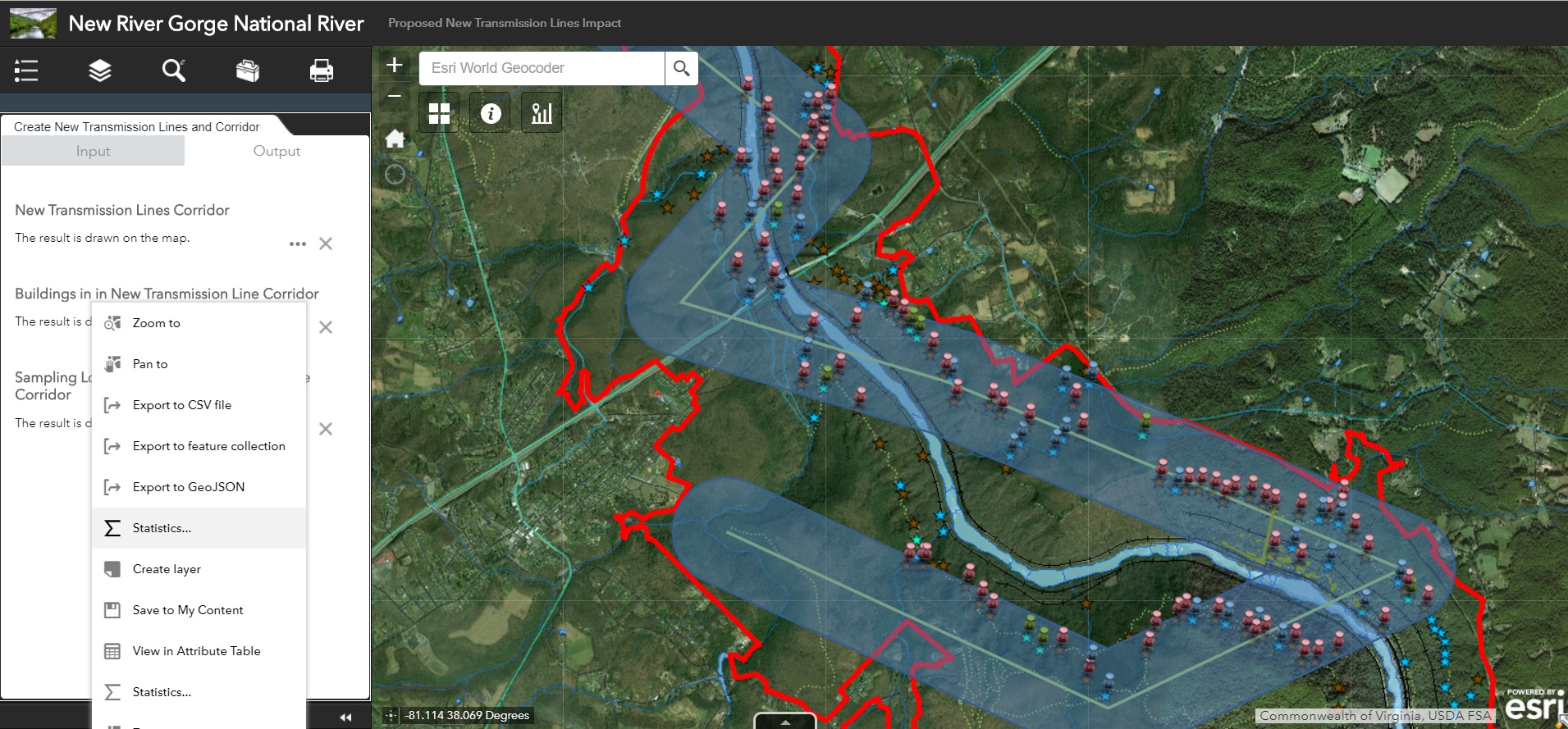
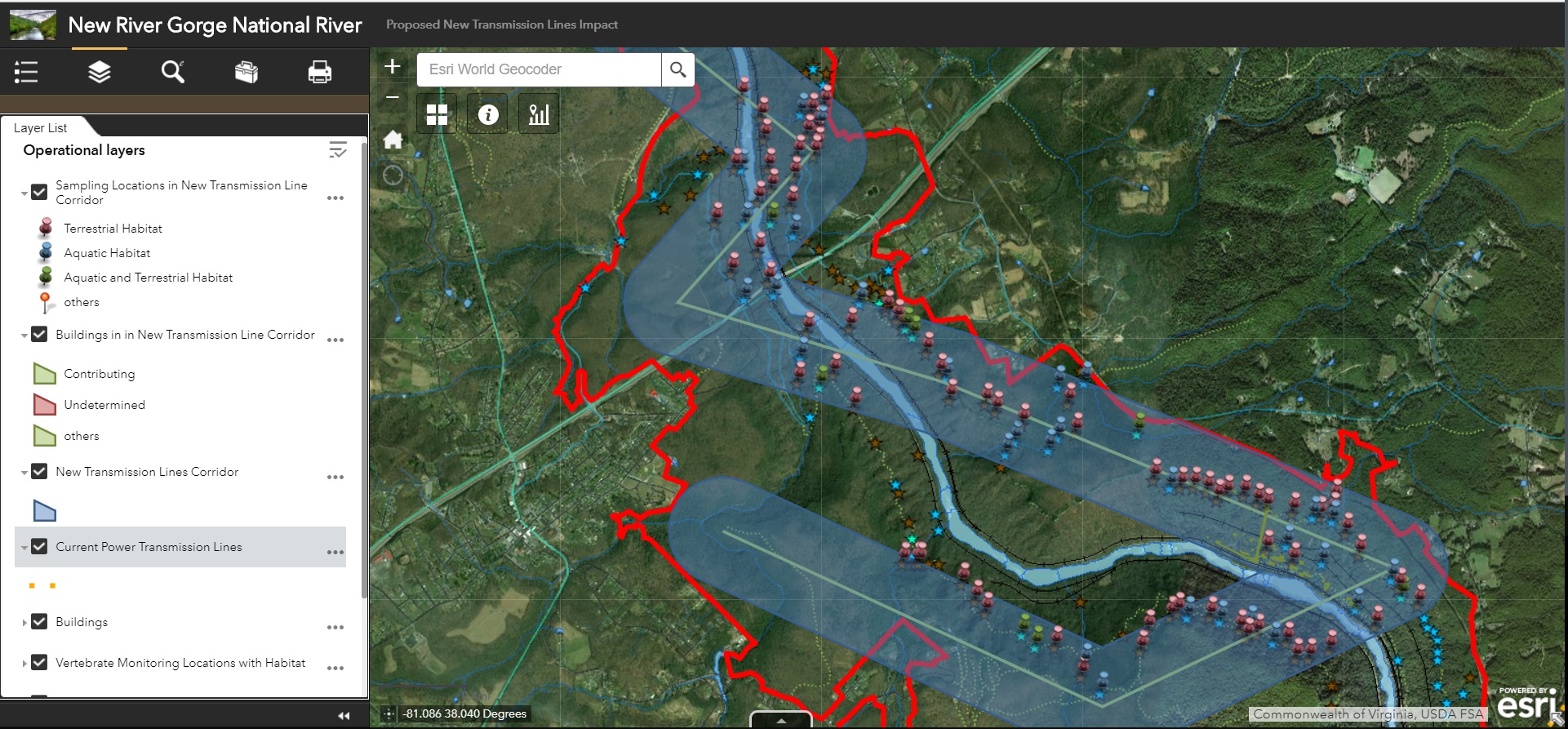
Results: The images below depict the resultant features and dialog generated from both the geoprocessing service and the enhanced search widget. The first slideshow visualizes the results from the enhanced search widget. Notice that the Enhanced Search widget provides the ability to view the attribute table for resultant layers within the newly buffered “corridor”.
Finally we have the results from the Geoprocessing Service and widget within the web application as shown below.

Reflection: The two fundamental differences between configuring a geoprocessing widget and the enhanced search widget are the types of inputs and the abilities given to the end user of the application and the way how each are developed. For example, with the current configuration of the geoprocessing widget, the user is has limited ability to customize the output of the geoprocessing widget beyond selecting a buffer size and drawing a proposed transmission line. While more customization could be built into a geoprocessing service and it’s subsequent widget, this would require quite a bit more work to populate and configure Graphical User Interfaces (GUIs) within the initial Model before running the model and publishing as geoprocessing service. However, because the geoprocessing services is hosted through ArcGIS Online (AGOL), once published it is readily available for use in any AGOL map and is simple to configure for use.
The enhanced search widget on the other hand provides far more freedom for users to draw proposed lines with various predefined shapes and styles as well as offering more buffer unit options and involving a text query to limit results to specific subsets of the buffered results. However the enhanced search widget is only available through ArcGIS Web App Builder Developer Edition, which means it must be configured on the developers machine before deployment in the web application and is generally more involved than a geoprocessing service.
For future application development, I would utilize the geoprocessing service instead of an enhanced search widget. The primary reason for this is the ability of the geoprocessing service to exist outside of a specific Web Application so inclusion in new or different web apps would be easier when using a geoprocessing service. To add the service, you can access the same folder/REST services and have most of the settings pre-populated. I also prefer the pop-up and field name display settings for the geoprocessing service to those used in the enhanced search widget. While the enhanced search widget may give the Web App user more functionality in how they draw and search, I prefer to limit the search parameters so I can ensure the user is supplying the correct shape/buffer information to complete the objectives of this project.
 Carson Coggins GIS Portfolio